
Stop packaging beats. Start selling them.
Every hour you spend on thumbnails, titles, and descriptions is an hour you're not making music, or money. Typeflick automates the entire packaging layer so your beats get to YouTube, get found, and get in front of buyers. Automatically.
Start selling smarter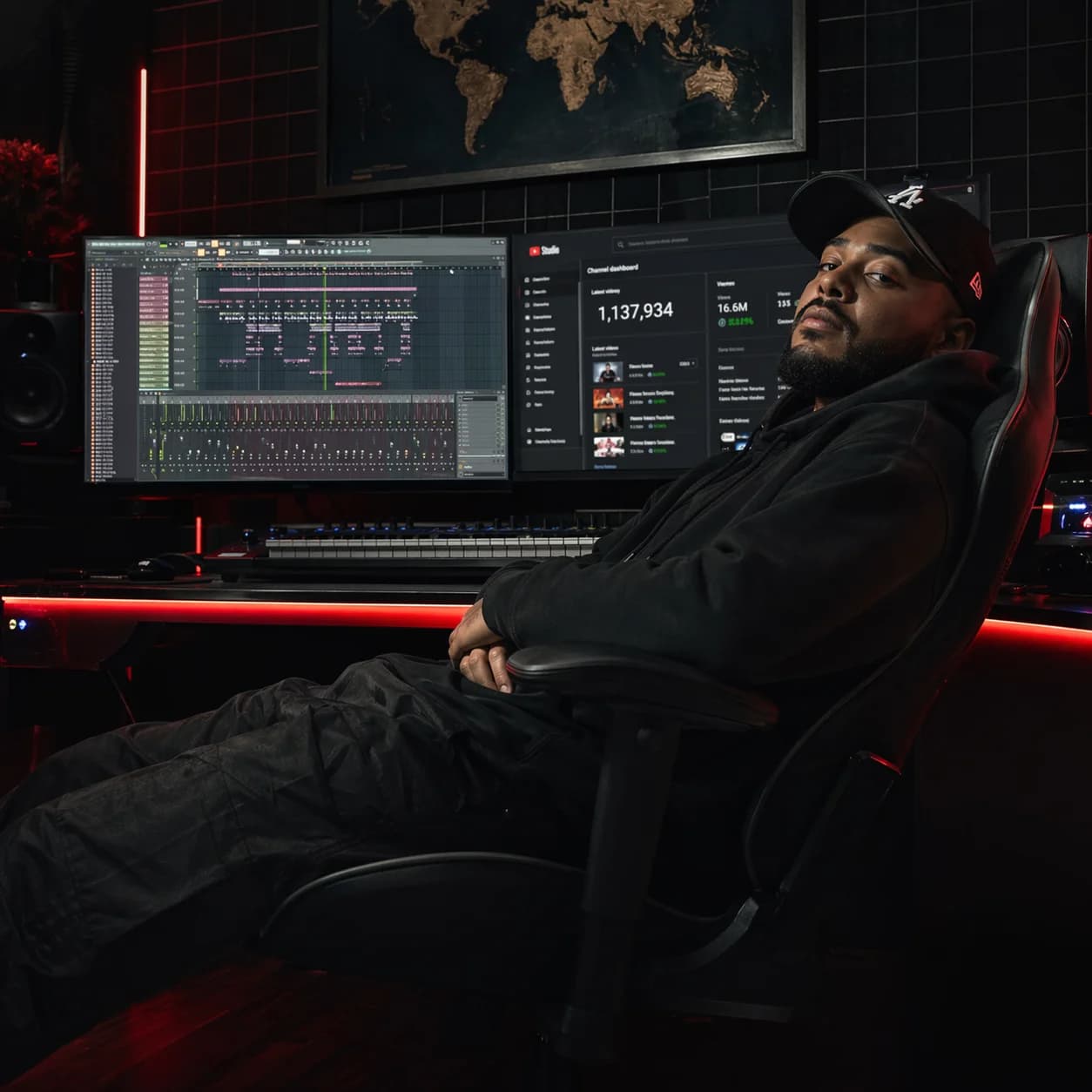
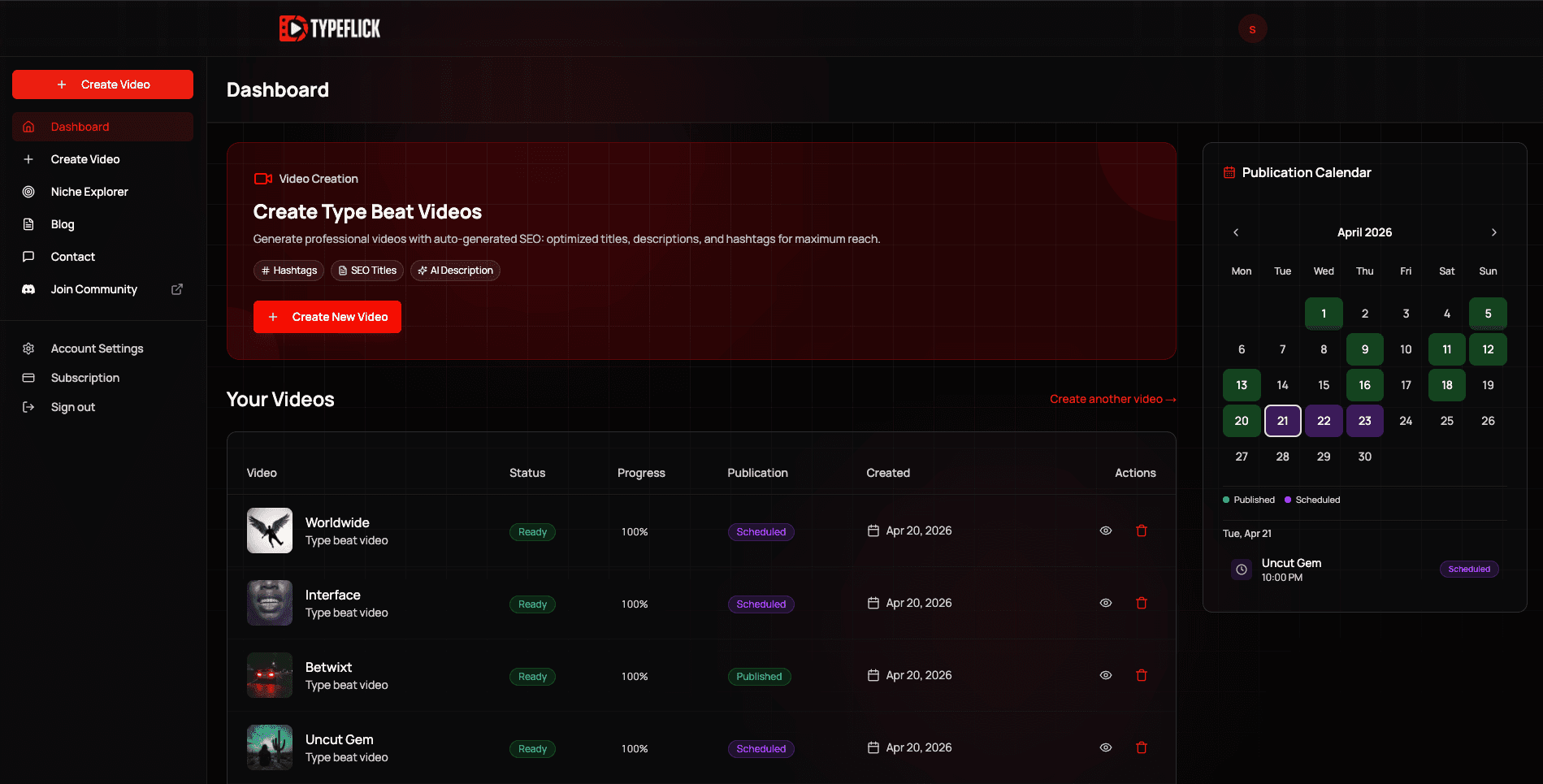
Your beats are done. Your bank account doesn't know that yet.
You finished the beat. Mixed it. Mastered it. It's sitting in your folder, ready. Now comes everything else.
The thumbnail. The title research. The tags. The description. The publish time. The video file. By the time it's actually live on YouTube, you've put in another two hours, on work that has nothing to do with why someone buys a beat.
And when it finally goes up? Thirty views. Zero plays on BeatStars. The link in the description, untouched.
Here's what's actually happening: the gap between finishing a beat and getting paid for it isn't a talent problem. It's a packaging problem. Beats don't sell themselves. They need to be found first. And getting found on YouTube requires every single upload to be properly packaged, properly optimized, and published at the right time. Most producers get this wrong not because they don't know it matters, but because doing it right on every upload, manually, is a full-time job on top of the actual job.
- You spend more time preparing beats for YouTube than making them
- Every beat you rush through packaging is a beat that won't rank
- Every beat that doesn't rank is a beat no artist will ever hear
- Every beat no artist hears is a license you'll never sell
The distance between your DAW and your first sale isn't talent. It's packaging. And right now, you're doing all of it by hand.
Typeflick closes the gap between finishing a beat and getting paid for it.
The beat is done the moment you export it. Everything after that (the video, the metadata, the thumbnail, the scheduling) is logistics. Typeflick handles the logistics. You handle the music. And your channel handles the sales funnel.
The Beat-to-Publish Pipeline
Most tools give you one piece of the puzzle: a keyword tool, a thumbnail template, a scheduler. You still have to connect everything manually. The Beat-to-Publish Pipeline is different: it's a single automated system that takes your raw audio and outputs a complete YouTube-ready package (video, title, tags, description, thumbnail) and publishes it on schedule. It handles every piece of the packaging YouTube judges before anyone hears a note. Not one of them. All of them. On every upload.
Every unpackaged beat in your folder is a potential sale that isn't happening. Every beat uploaded without proper SEO is invisible to the artists who would have bought it. The catalog you've already built is sitting on revenue you haven't collected yet. Typeflick can change that. Starting with your next upload.
Beat-to-video generation
Converts your audio into a fully packaged YouTube video automatically.
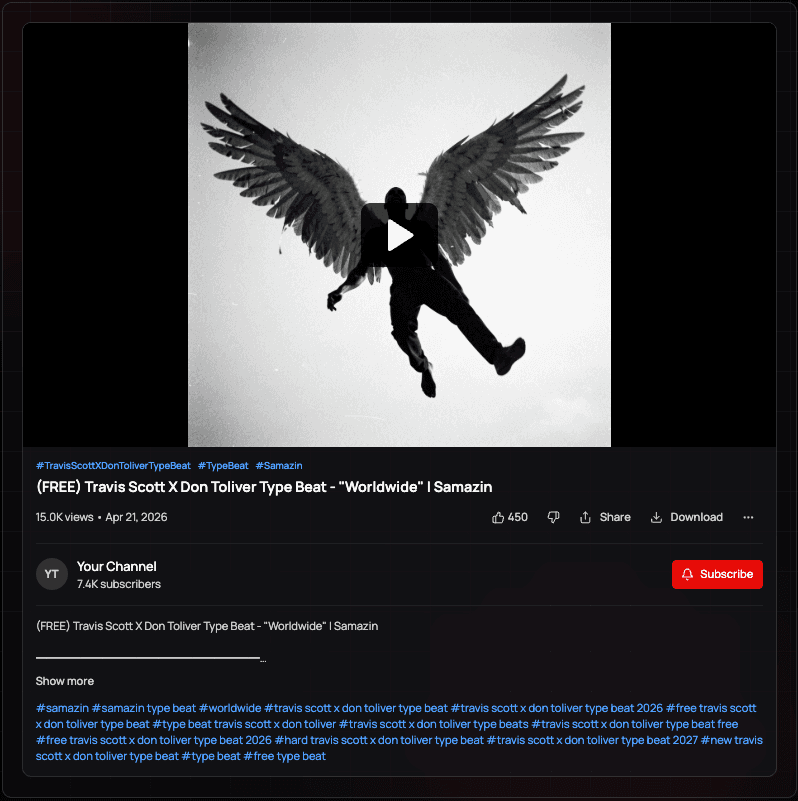
You stop spending 30-60 min per beat on video editing you never wanted to do.
SEO metadata generation
Produces optimized title, tags, and description automatically.
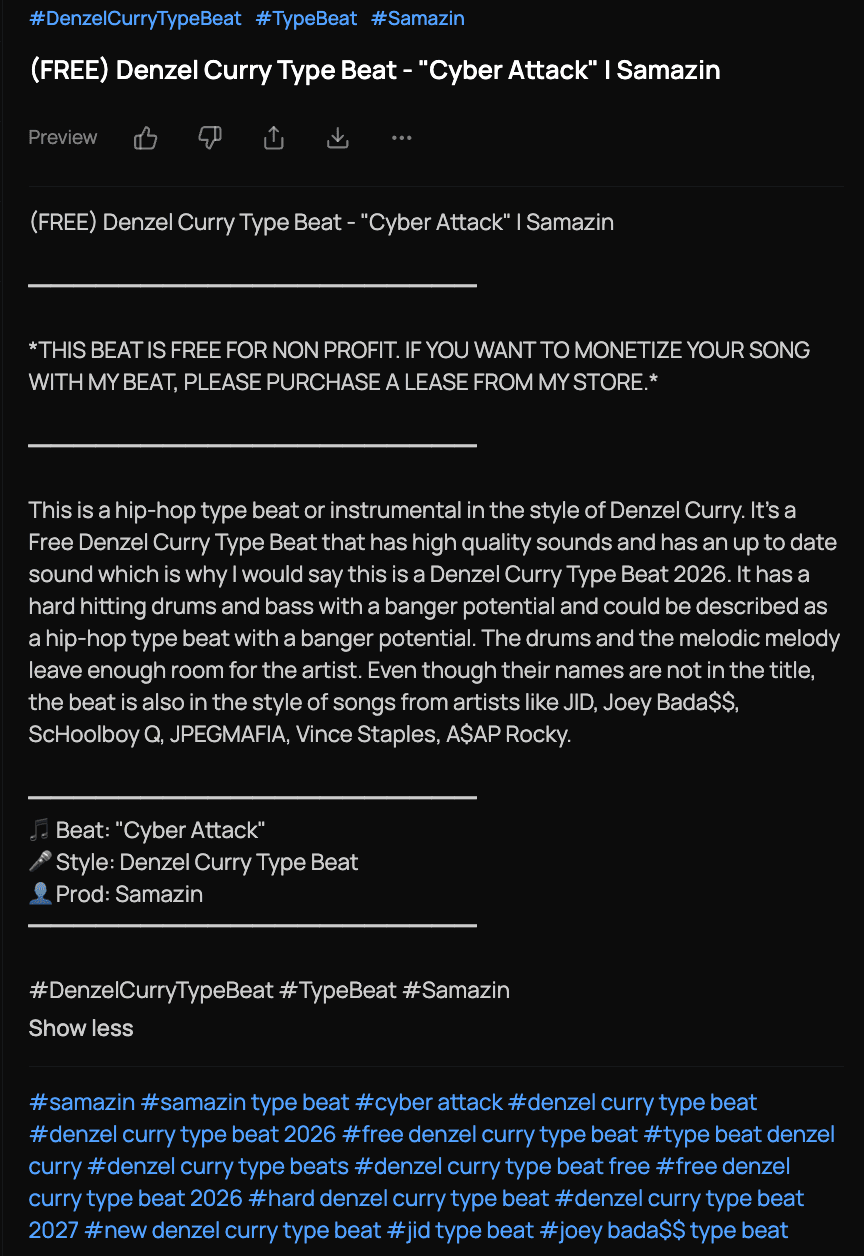
Your videos appear in front of artists who are actively looking for that sound.
AI thumbnail generation
Builds covers from what's already ranking in your niche. No Canva, no blank page.
Your channel looks consistent and credible.
Scheduled publishing
Publishes your videos automatically on schedule.
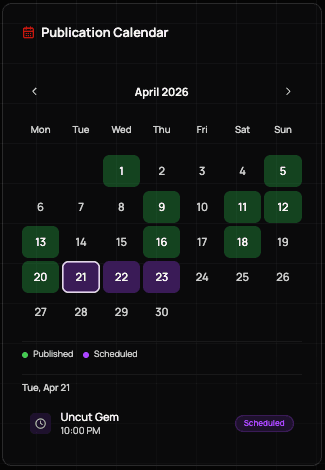
Your channel stays active while you're in the studio.
Niche & artist explorer
Analyzes keyword volume and competition so you always target the right audience.
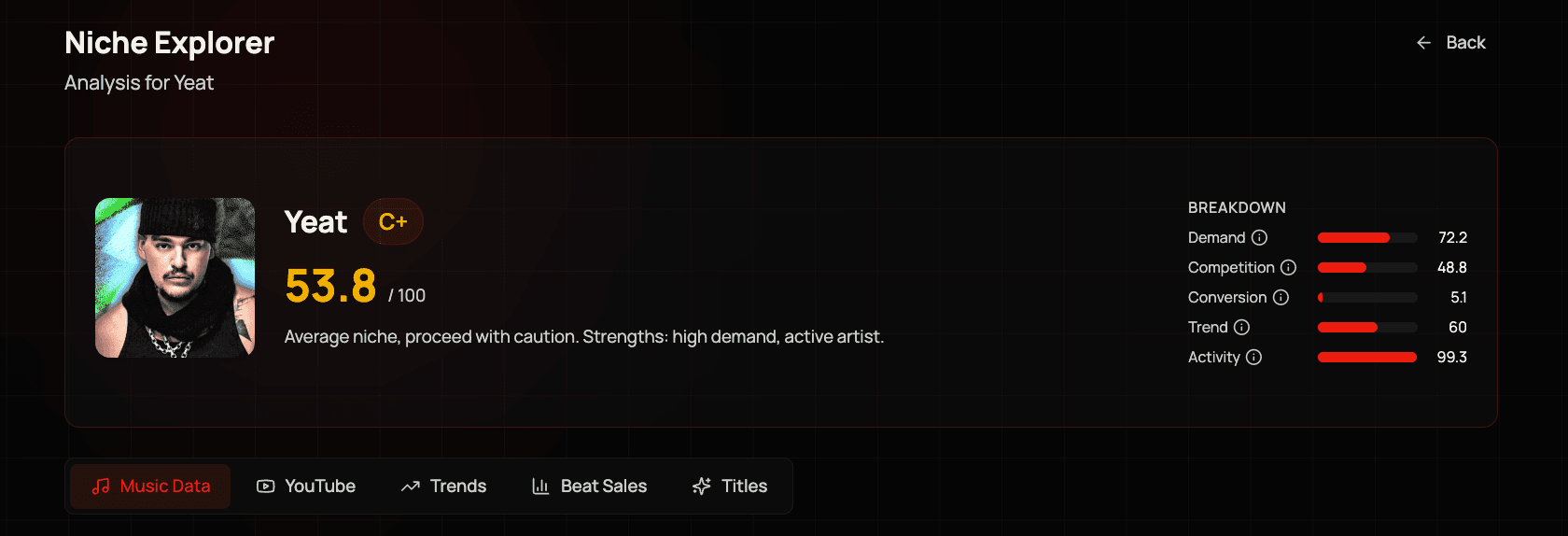
You stop guessing what to make next.
See how the Beat-to-Publish Pipeline works in real time: from raw audio to a live YouTube video.
Your next beat is already done. Let's get it in front of someone who'll buy it.
Start selling smarterNo long-term commitment. Cancel anytime. Your first video published in under 5 minutes.
Stop paying with your time.
Try your first video free. Subscribe when you're ready.
Free
No credit card required
- Unlimited videos
- 1 YouTube publication/month
- 3 AI thumbnails/month (1 generation)
- 1 YouTube channel
- Basic template only
- Limited niche explorer
- Full SEO (title, description, tags)
Producer
Billed $149.00/year — 2 months free
- Unlimited videos
- Unlimited YouTube publishing + scheduling
- 60 AI thumbnails/month
- 2 YouTube channels
- All templates
- Full niche explorer
- Full SEO (title, description, tags)
Studio
Billed $379.00/year — 2 months free
- Unlimited videos
- Unlimited YouTube publishing + scheduling
- 180 AI thumbnails/month
- Unlimited YouTube channels
- All templates
- Full niche explorer
- Full SEO (title, description, tags)
Your questions, answered
"Will better packaging actually translate to more sales, or just more views?"
Views come before sales: no artist buys a beat they never heard. What Typeflick changes is discoverability: your beats appear in front of artists who are actively searching for that sound right now, with a thumbnail that gets clicked and a title that matches what they typed. More of the right views means more of the right buyers.
Is this going to make my channel look generic?
Typeflick's thumbnail generation is based on your beat's specific metadata. Two producers making different types of beats will get different outputs.
How long does it take to set up?
Connect your account, upload your first beat. Most producers are live within 10 minutes of signing up.
Will this actually help with YouTube SEO?
Yes. The metadata is based on real search data for your artist niche: exactly what producers paying for consultants get, applied automatically.
Every beat you make is a potential sale. Start treating it like one.
Proper packaging on every upload. The right keywords on every video. A thumbnail that actually gets clicked. And a publish schedule that runs without you. That's what it takes to turn a catalog into an income, and it's what Typeflick does, automatically, every time.
Start selling smarterSecure payment. Cancel anytime. First beat live in 5 mins.